The Ultimate Beginner’s Guide to Installing LED Strip Lights
LED strip lights have revolutionized home lighting and décor with their versatility, efficiency, and vibrant ambience. These flexible, adhesive backed light strips can transform any space from cozy living rooms to sleek kitchen under cabinets with a touch of modern elegance. Homeowners across Canada are embracing LED strip lighting to add accent illumination, backlighting for TVs or artwork, and even functional task lighting in kitchens and workspaces. Beyond their aesthetic appeal, LED strip lights are energy efficient and long lasting, making them a smart choice for eco conscious consumers. In this introduction, we’ll explore what LED strip lights are and why they’re popular in home décor, and in this article we will discuss how to install LED strip lights for beginners, step by step.
What Are LED Strip Lights?
LED strip lights, also known as LED tape or ribbon lights, are flexible circuit boards with small LEDs arranged in a line. They typically run on low-voltage DC power and come in long reels that can be cut to size. With peel-and-stick adhesive backing, they are easy to install on clean surfaces. Some may require a separate power supply or connectors.
Popular for their versatility, LED strips come in various colors and brightness levels, ideal for both accent and dynamic lighting. They can be used for under-cabinet lighting, backlighting, stairways, and more. Unlike rigid linear lights or fluorescent tubes, LED strips are thin, flexible, and can be customized to fit almost any space. Their flexibility makes them perfect for creative, hidden installations in home décor.
Types of LED Strip Lights
LED strip lights come in various types, each offering unique features to suit different needs.
- Single-Color and Static White Strips: These emit one fixed color, often white in different temperatures, ideal for simple, static lighting.
- Tunable White Strips: These allow adjustment of the white light’s color temperature, offering flexibility for various ambiances.
- RGB and Color-Changing Strips: These strips mix red, green, and blue LEDs to create millions of colors, controlled via remote or app.
- Addressable (Color-Chasing) Strips: These strips allow individual LED control, creating dynamic effects like chase patterns and animations.
- Indoor vs. Outdoor Strips: Indoor strips are usually rated IP20, while outdoor-rated strips range from IP65 (water-resistant) to IP67/IP68 (waterproof for submersion).
- Voltage and Power Types: Common configurations include 12V and 24V low voltage strips for home use and 120V strips for commercial applications.
Additional features may include smart capabilities, high CRI for accurate color rendering, or COB strips for a seamless light output. Always choose a strip based on your environment and lighting needs.
Key Features and Specifications of LED Strip Lights
When choosing LED strip lights, consider the following key features:
- Brightness (Lumens): Measured in lumens, this determines how bright the strip is. Higher lumens provide more light, and brightness depends on LED density (e.g., 120 LEDs/m) and the power drive. For accent lighting, lower lumens may be enough, while task lighting needs brighter strips.
- Color Temperature & Options: White LED strips vary in color temperature (measured in Kelvins), from warm (2700K) to cool (6500K). RGB strips offer millions of colors, and RGBW strips add white LEDs. Tunable white strips allow for adjustable color temperature.
- Energy Efficiency: LED strips use 75% less energy than incandescent lights, making them cost effective in the long run. They also run cool, making them safer for tight spaces.
- Lifespan: LED strips last 25,000 to 50,000 hours, significantly outlasting traditional bulbs. Choose reputable brands for longer lasting brightness.
- Dimmability & Controls: Most LED strips are dimmable, with smart strips offering app or voice control options.
- IP Rating: The IP rating indicates water and dust resistance. IP20 is for dry, indoor use, while IP65 is water resistant, suitable for kitchens or outdoor use under eaves. IP67/IP68 can withstand submersion and heavy rain.
- Other Specifications: Consider LED density, wattage per meter, and compatibility with smart home systems like Alexa or Google Home for integrated control. If you’re new, an LED strip kit with all necessary components is a great option.
How to Install LED Strip Lights (Step-by-Step)
Installing LED strip lights is a very approachable DIY project you don’t need to be an electrician to do a basic setup, as most strips intended for home use come with plug-in adapters. The process can be done in under an hour for a simple layout. Below is a step by step guide to installing LED strip lights in any space:
- Plan Your Layout and Measure: Decide exactly where you want to mount the LED strips and how you will route them. Popular locations include under cabinet edges, along coves or crown molding, behind a headboard or TV, or along stairs. Ensure a power outlet is accessible nearby (unless you’re using a battery or hardwired strip). Measure the length of the area you want to illuminate using a tape measure. It’s wise to also plan how you will hide any excess strip or the wires leading to the outlet for example, you might start the strip near the outlet and work from there. Mark the measured length and compare it to the strip’s length. Most strips can be cut to size if they are too long. Tip: If you have the ability, test the LED strip by plugging it in before installation to make sure it works and you understand any controls.
- Choose the Right Strip and Power Supply: If you haven’t already purchased your LED strips, choose a product that fits your needs (as discussed above in types and features). For a first-timer, a kit with an included power adapter and perhaps a remote is simplest. Ensure the strip’s voltage matches the power supply (e.g. 12V strip with 12V adapter) and that the adapter can handle the strip’s wattage with some overhead (it’s recommended to use only about 80% of a power supply’s capacity for longevity). For example, if your strip uses 5 Watts per metre and you plan to install 5 metres (25 W total), get a 12V adapter rated for at least ~40 W to be safe. In Canada, also ensure the power supply has proper safety certifications (ULC/CSA) since it plugs into mains power.
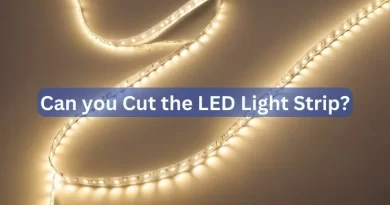
- Cut the Strip to Length (if needed): Most LED strips can be cut at specific intervals to get the exact length you need. These cut points are usually marked on the strip with a little line or a scissors icon, often every few inches (or every 3 LEDs in many designs). Double check your measurements, then using a pair of scissors, carefully cut straight across the strip at a marked cut line. Never cut a strip while it’s powered, and avoid cutting at non designated spots, as that could damage the circuit. After cutting, if you plan to attach another strip or make a turn, you’ll use either soldering or easier clip-on connectors to join strip segments or attach wires to a corner connector follow the strip manufacturer’s instructions for these. If no cutting is required, you can skip this step.
- Prep the Installation Surface: LED strips stick best to smooth, clean surfaces. Take time to clean the area where the strip will be applied use a cloth with mild detergent or isopropyl alcohol to remove dust, grease, or residue, then let it dry fully. This is especially important in areas like kitchens (grease under cabinets) or dusty surfaces. A clean, dry surface ensures the strip’s adhesive will hold for the long term. If the surface is rough or porous (like unfinished wood or concrete), you might need to use additional mounting clips or an extra layer of strong double-sided tape, as the standard adhesive may not bond well.
- Adhere the LED Strip: Now for the fun part installing the strip. Start at the end of the strip that will connect to the power supply (the “plug end”). Peel off a bit of the adhesive backing from the strip and press the strip onto the surface one section at a time. It’s usually easiest to peel a few inches, stick that segment, then continue gradually rather than peeling the entire backing at once (which can get tricky to manage). As you apply, keep the strip straight and taut, especially if going along a straight line, or gently follow curves if going around bends. Apply firm pressure for a few seconds on each portion to ensure it sticks well. Take care particularly on corners or if wrapping around an edge some strips can bend 90° corners, or you might need a corner connector to go around a sharp turn without breaking the strip. If your strip doesn’t stick well (sometimes the pre-applied adhesive isn’t the best), you can use supplemental mounting tape or clips. Tip: The adhesive on LED strips can be very sticky and sometimes hard to remove or adjust once pressed down, so go slowly and deliberately. You can also use command strips or mounting channels if you plan to remove or reposition in future instead of relying on the strip’s adhesive.
- Connect to Power and Controllers: Once the strip is mounted, connect it to its power supply and any controller if applicable. For a simple white or single colour strip, you might just have a two-wire connection to the DC adapter. For an RGB strip, you’ll have a controller box that connects between the strip and the power adapter (with typically 4-pin or 5-pin connectors). Make sure all connectors are snug. Then plug the power supply into the outlet. If you cut the strip and need to attach an extra segment, use the appropriate connector (many strip kits include little clip connectors for reattaching cut pieces or going around corners). Ensure the polarity is correct when connecting strips (+ to +, etc.), which is usually indicated by markings on the strip or in the instructions. After everything is connected, perform a test run: turn on the strip lights. All LEDs should light up. If part of the strip doesn’t come on, there may be an issue with a connection at the cut point or a connector not seated properly turn off power and fix any wiring issues as needed.
- Finishing Touches: With the strip installed and working, tidy up the installation. Conceal or secure any excess wire from the strip to the outlet (cable clips or raceways can help keep it neat). If the strip is visible and you prefer a diffused look (so you don’t see the individual LED dots), you can snap on a diffuser cover or use an aluminum channel with a frosted lens – these accessories make the light look more like a continuous glow and also protect the strip from dust and contact. Finally, set your desired brightness or colour on the controller. Your space should now be beautifully lit by your new LED strip lighting!
By following these steps, you can install LED strip lights under cabinets, along stairways, behind furniture, or virtually any place you want a creative lighting touch. Always consult the instruction manual of your specific LED strip product, as there may be slight variations or additional safety guidelines. For instance, some high-power strips might get warm and recommend aluminum channels for heat dissipation, or waterproof strips might need waterproofing of cut ends with silicone. But in general, the above steps cover the fundamental process for a basic home installation.
Best Lighting Distributor in Canada – Where to Buy LED Strips
For high-quality LED strip lights and accessories in Canada, Lumenco is a top choice. This Canadian owned company specializes in LED lighting solutions for residential, commercial, and industrial applications. They offer a wide range of products, including LED strips, smart lighting controls, and accessories, all backed by expert advice and excellent customer service. Lumenco’s products are CSA approved where required, ensuring compliance with Canadian standards, and they provide local shipping across Canada.
Whether you’re a DIYer or a contractor, Lumenco supports your project from product selection to installation. Their catalog includes various LED strip lights, power supplies, dimmers, and controllers, making it a one-stop shop for lighting enthusiasts. With local customer service and technical support available via live chat, email, and phone, Lumenco ensures a smooth and successful lighting project.